
Six screens, doing the six jobs.
Every image here is a photograph of Podium running against its own seeded conference: proposals in every state, a review round with real scores, sponsors part-way through their entitlements, an agenda with conflicts. Nothing is a mockup.
A call for proposals people can finish.
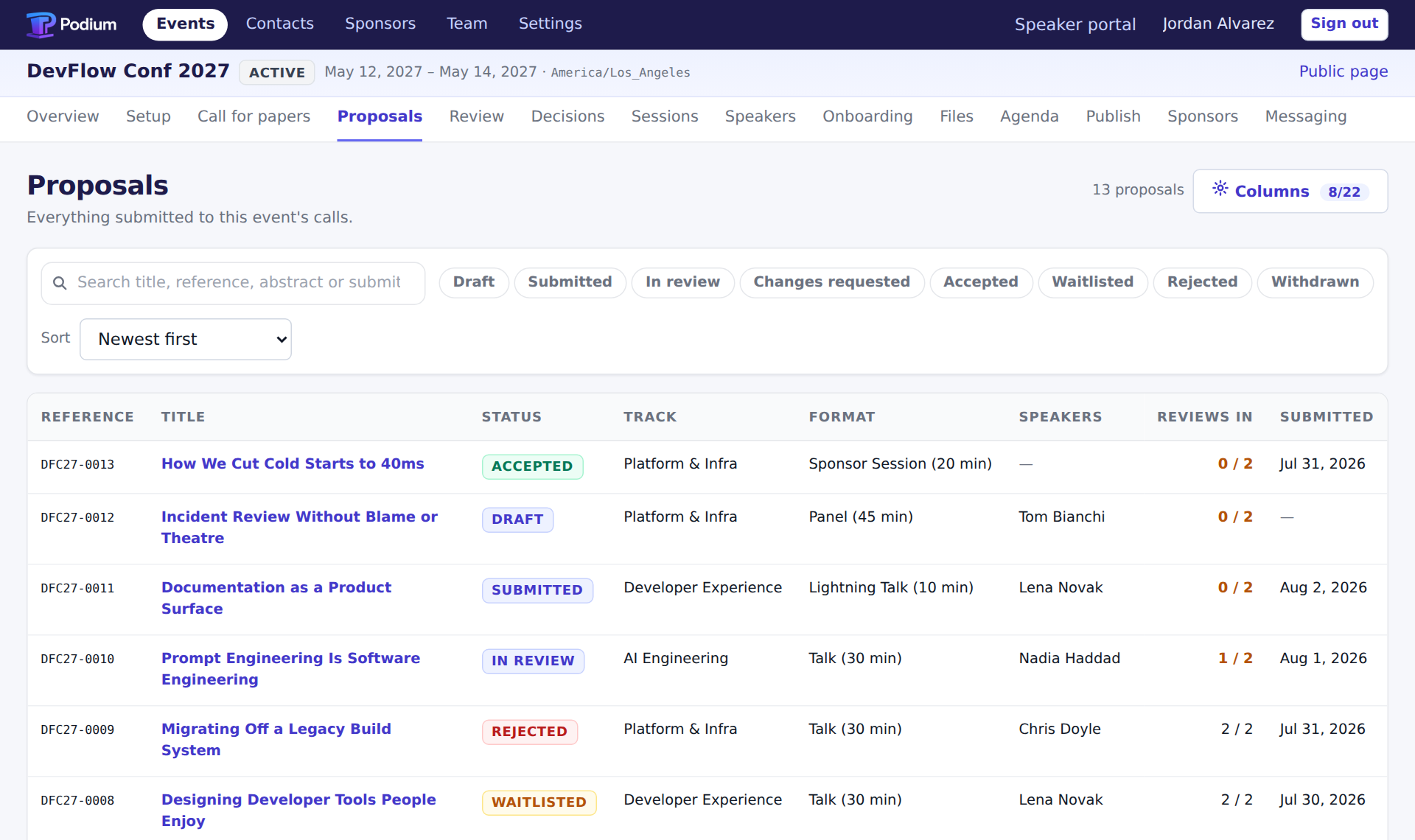
Multi-step forms with your own fields, and drafts a submitter can leave and come back to. One board shows every proposal, its state and its reviews at once, filterable and bulk-actionable.
Two organizers working that board see each other's changes as they land.
Review that holds up when someone asks.
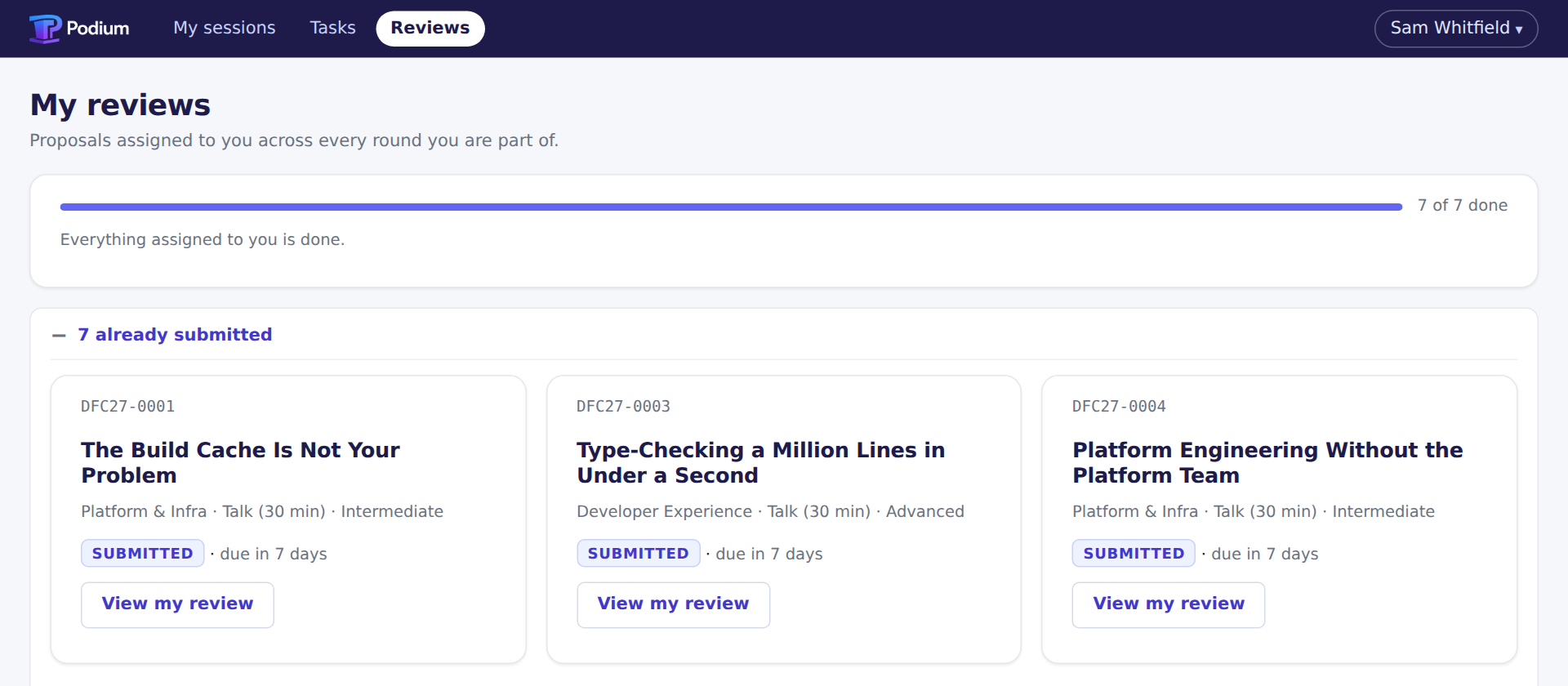
Reviewers get a queue, a rubric and a progress bar. Not a shared sheet with a hundred rows. A reviewer who submitted, is credited on, or has declared a conflict with a proposal cannot score it — the write is refused, not logged for someone to notice.
Run it open, single-blind or double-blind. Every score, comment and decision is recorded, so "why was this rejected" has an answer a year later.
An optional first-pass triage sorts the pile before humans see it. It is off unless you turn it on, and its opinions never count toward quorum.
Decide as a batch. Tell everyone at once.
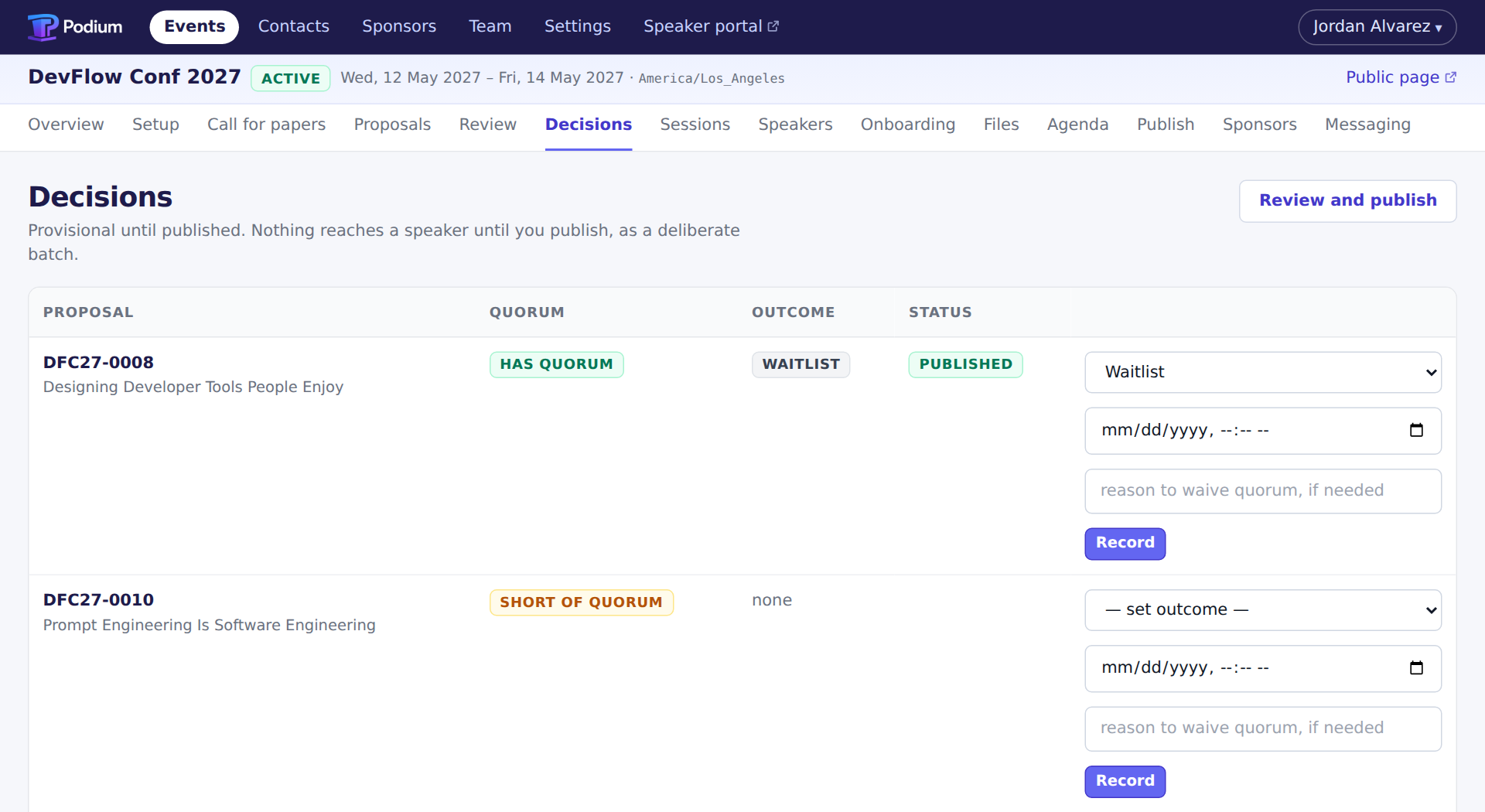
Outcomes stay provisional until you publish them. Nothing reaches a speaker early, and nobody finds out from a friend.
Before you commit, Podium shows which proposals reached quorum and which are short of it. Decide anyway and it records who waived it, and why.
Stop chasing people for bios.
Say once what an accepted speaker owes you: headshot, bio, slides, code of conduct, AV requirements. Podium tracks every one, for every session and every sponsor, and sends the reminders itself.
Mark a task blocking and it keeps that session off the public schedule until it is done. You find out now, not on the morning of the event.

Sponsor sessions are not an afterthought.
A sponsor session is paid for, not selected. It still needs content review, the same onboarding and the same slot on the schedule. Most CFP tools model the call for proposals and leave this half in email.
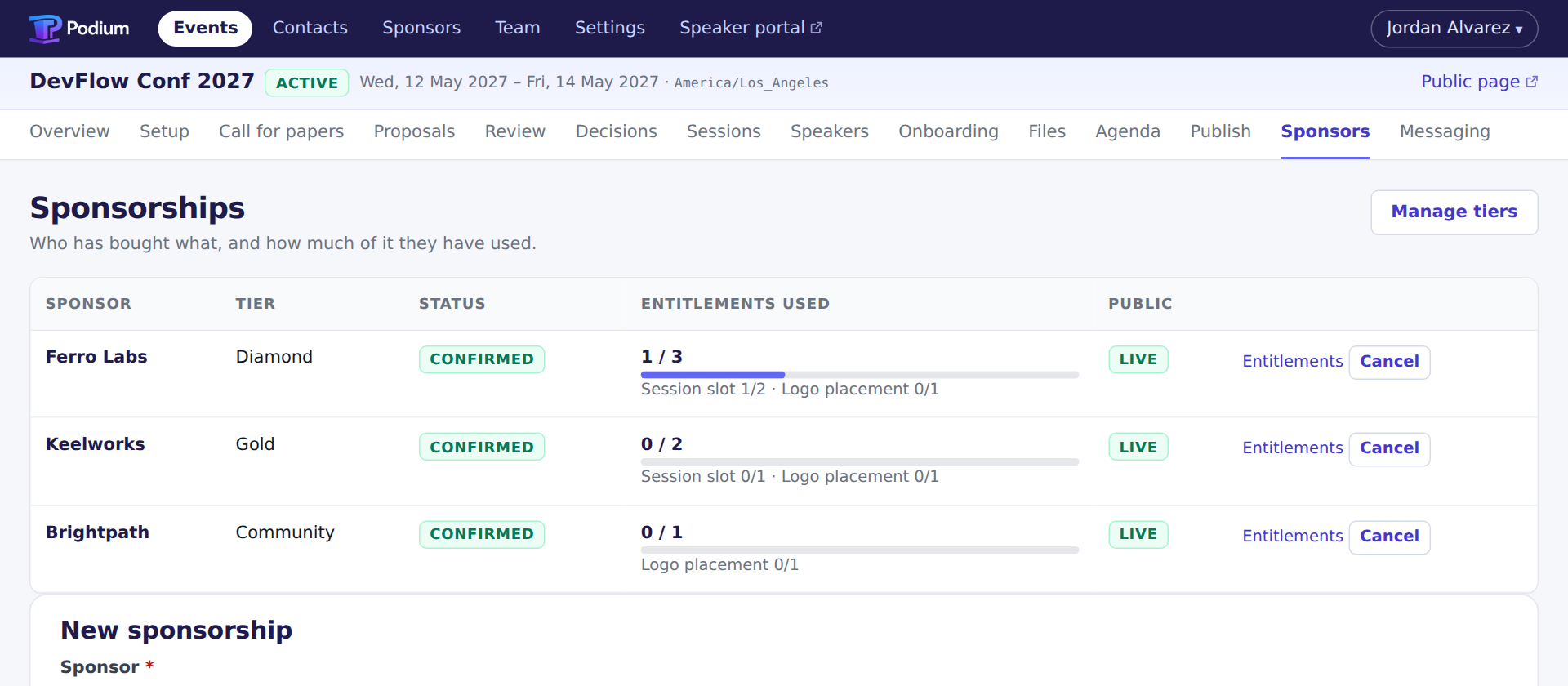
A package is a countable set of entitlements. Two session slots and a logo placement; one spent, two still open. The sponsor sees the same count you do.
An unused slot is never quietly lost, and one cannot be spent twice.
A schedule that cannot quietly break.
Place sessions into rooms and times and Podium recomputes conflicts on every change: a double-booked room, a speaker in two places, a session whose onboarding is not done. It will let you save a broken schedule. It will not let you publish one.
The public sees an immutable, versioned snapshot. Your site embeds it, a CDN caches it, and rolling back is pointing at the previous version.

Speakers get one place to look.
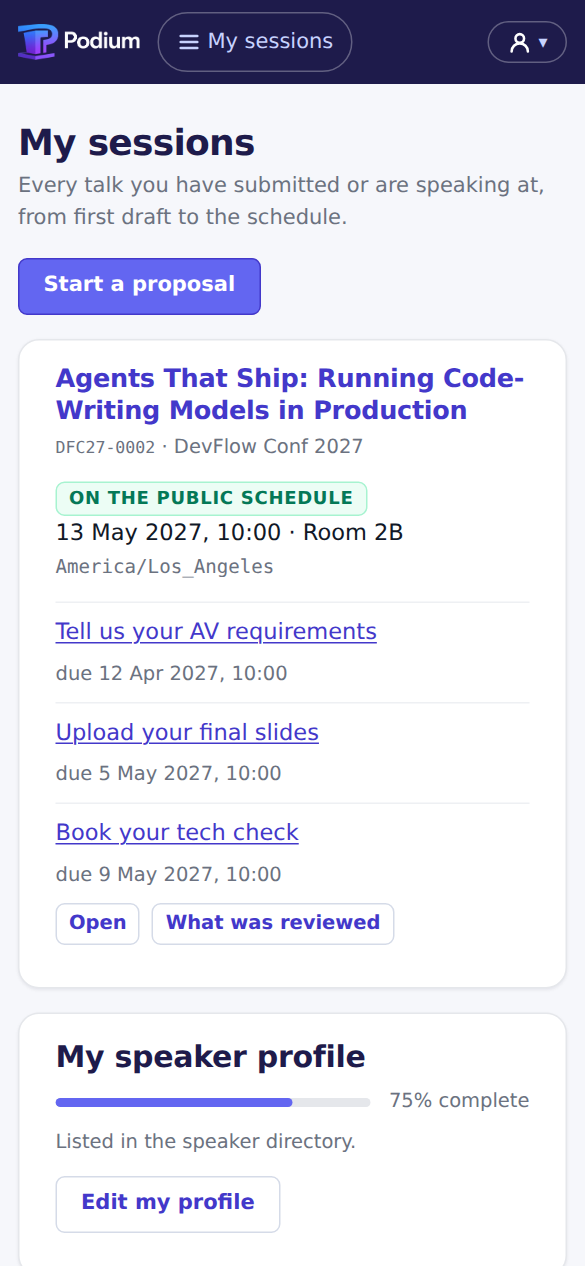
Where their proposal stands, what they were accepted for, when and where it is, and what they still owe you. They keep their own profile, and it is what appears on the public schedule, so you stop copy-editing sixty biographies.
Built for the screen it is read on
Speakers accept from an emailed link, upload a headshot from the camera roll and tick off tasks standing in a queue somewhere. The portal is designed at the narrow width, not shrunk to fit it.
The public schedule gets the same treatment: an itinerary on a phone, a room-by-time grid on a laptop, and both work with scripts blocked on conference wifi.
And the parts nobody demos.
None of these wins a bake-off. Between them they are most of what makes the last three weeks survivable.
Submission forms that survive a deadline
Multi-step, with your own fields and saved drafts. The deadline closes the form; it does not trust people not to notice.
Content approval with a history
Edit an approved session and the approval is revoked and the previous version kept, in the same write. Nobody quietly changes a title after the programme is printed.
Campaigns with an auditable outbox
Compose to a segment — everyone rejected, everyone with a task overdue, every sponsor contact. Every message sent is recorded against the person who got it.
Import that previews before it writes
Bring last year's speakers in as a CSV and see what will be created, updated and rejected first. Everything comes back out as CSV, JSON or a ZIP of the files, with no export ticket to raise.
An event roster
Who is staff, who is a reviewer, who is a speaker, per event. Someone who chaired review last year is a submitter this year, and the tool should not need telling twice.
A cross-event speaker directory
Every edition you run here, in one searchable directory with tags, companies and history. What a conference compounds is the people it knows.